
T-12’s & Multifamily Rent Rolls
It’s never been easier to get property information into your model
Real-time handling of a messy Rent Roll and a T-12 with Pro Formance CRE
Time spent on data entry is a drag on your bottom line.
Let’s do something about that:
Simplifying the unstandardized
Multifamily Rent Rolls
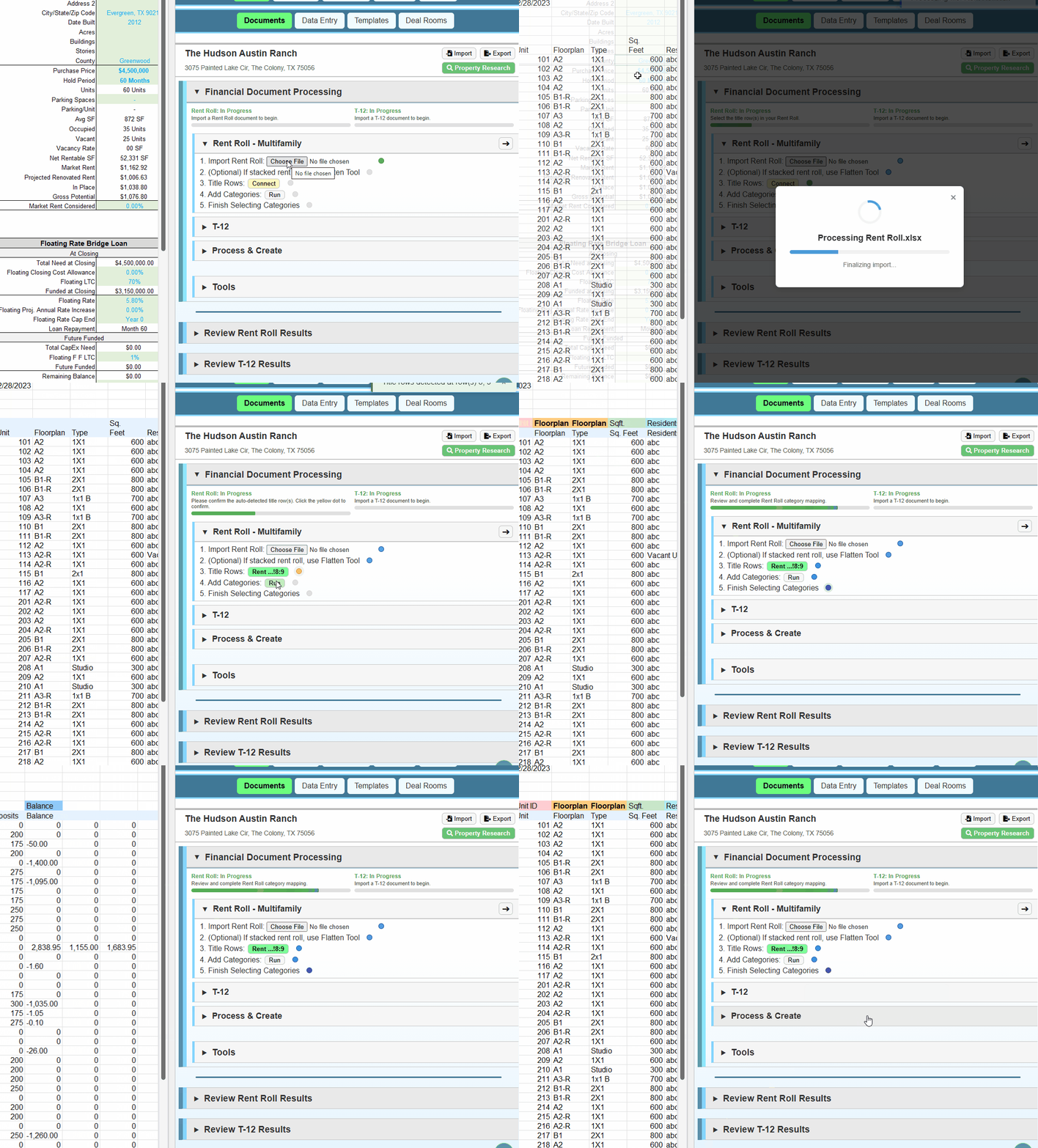
The entire process of importing and categorizing a rent roll
Anyone who has dealt with apartment deals knows that multifamily rent rolls are all over the place. With no standardization, someone has to wrestle with these documents before underwriting can even begin.
This is now optional.
In under a minute, you can import, process, and place the data from a rent roll. Whether a rent roll is clean or messy, an Excel file or PDF, Pro Formance CRE can handle most formats with the same, simple process.
This single feature can save days of work time and greatly reduces the Excel skills needed to do multifamily underwriting.
Tackling tedious giants
T-12 Statements
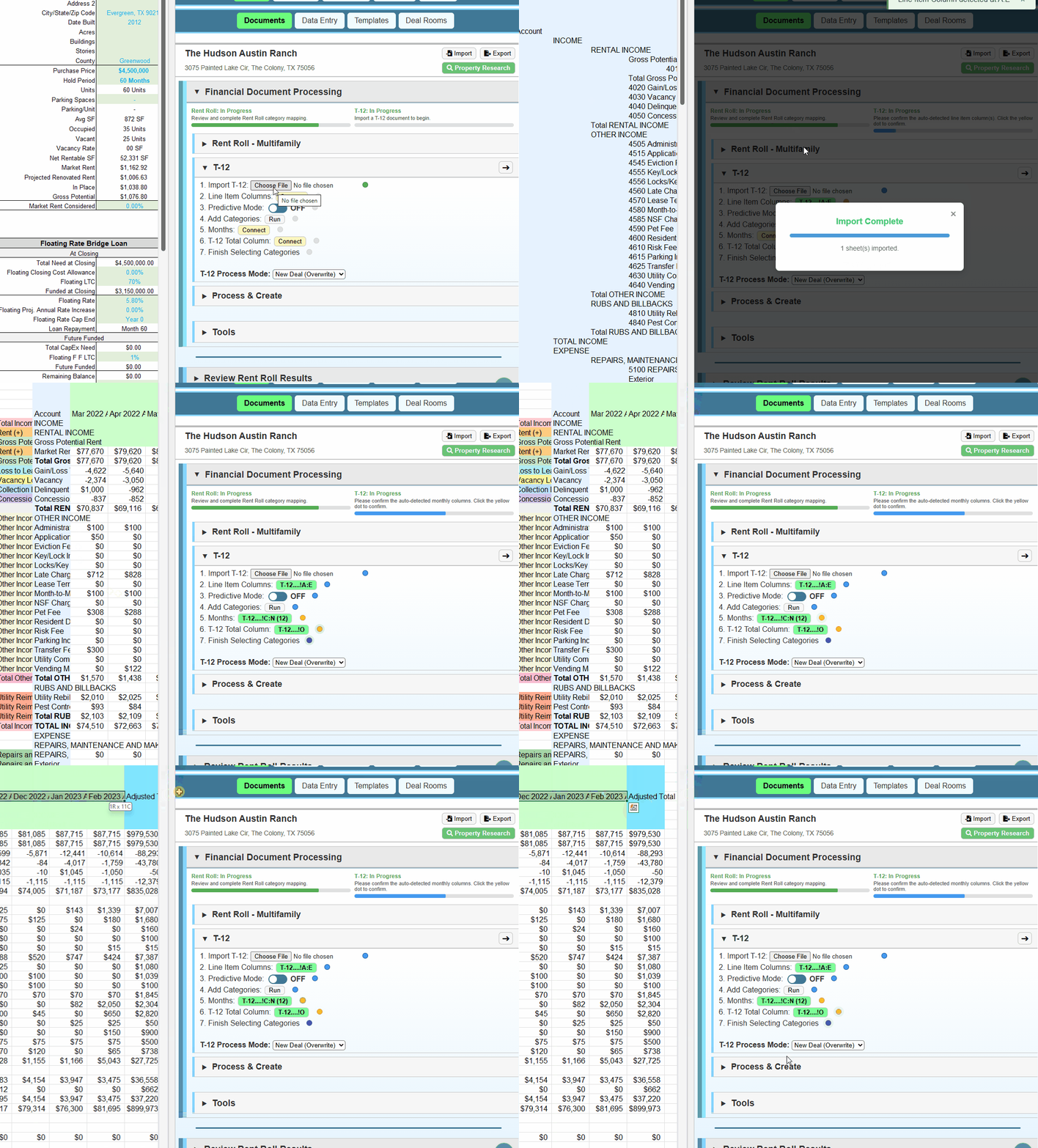
The entire process of importing and categorizing a T-12
Whatever you call them, T-12’s hold vital information for your investment decisions. They range from large to very large, and have almost nothing in common besides their structure.
These quirks mean spending valuable time categorizing dozens and hundreds of line items for every deal.
Pro Formance CRE makes the process much smoother by remembering your categories and using visual cues. You can also leverage your past categories with Predict to jumpstart the process.
T-12 = Profit/Loss Statement (PL), Income Statement, Operating Statement, etc.
Simplifying the process
Excel and PDF Files
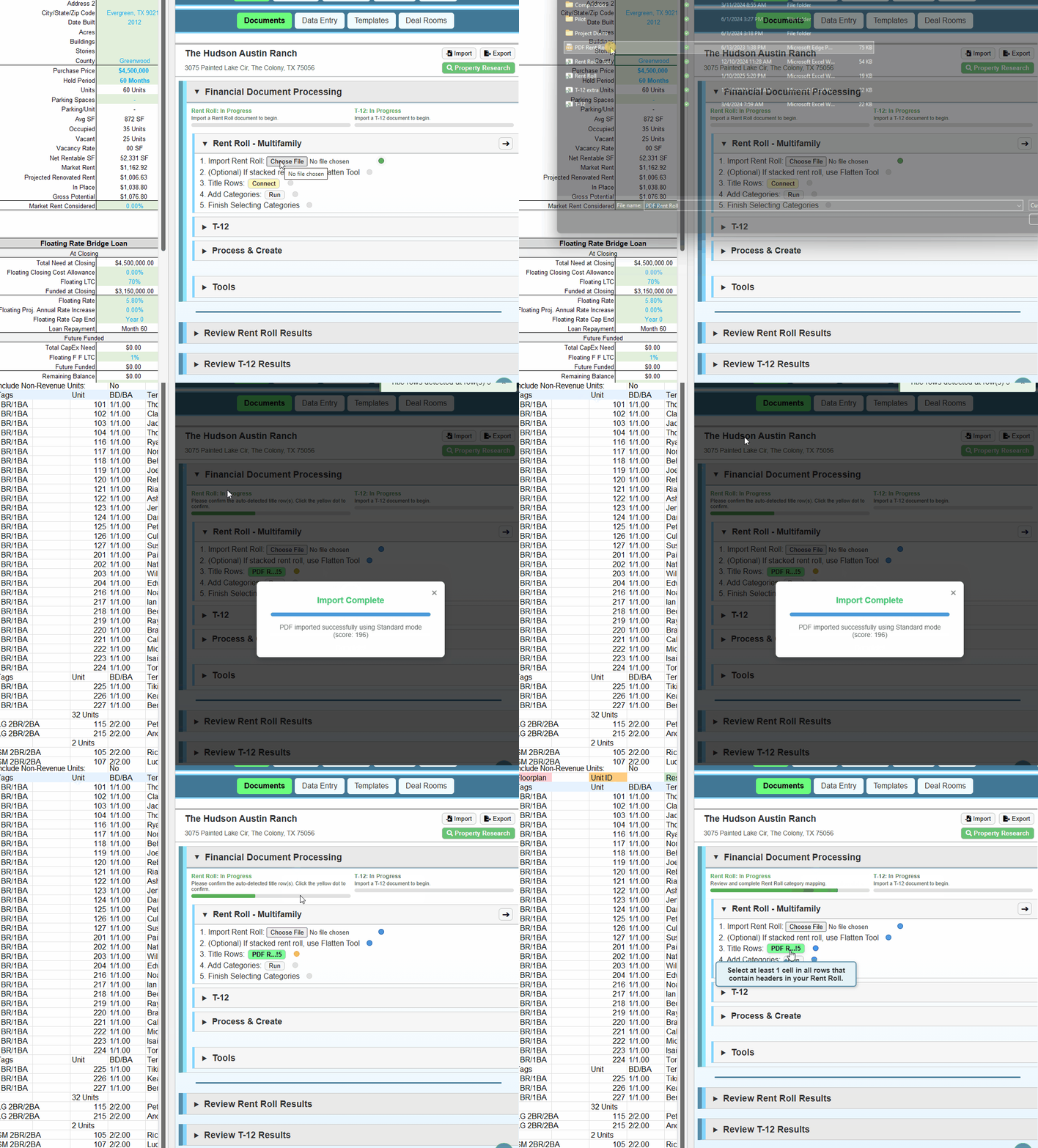
The process of importing and categorizing a PDF rent roll
(not fully shown due to privacy concerns)
One of the worst parts of CRE data entry is getting the data into Excel in the first place. Excel files are thankfully manageable, but PDF files are a headache.
Pro Formance CRE makes this step so easy, people think we skipped it. Whether you have single/multi-page Excel files or PDF files, getting your data into your model has never been easier.
Given the complexity in handling PDF’s, we also provide multiple PDF parsing modes to expand the range of formats that can be handled automatically.
Automatic, custom category checks
Data Validation
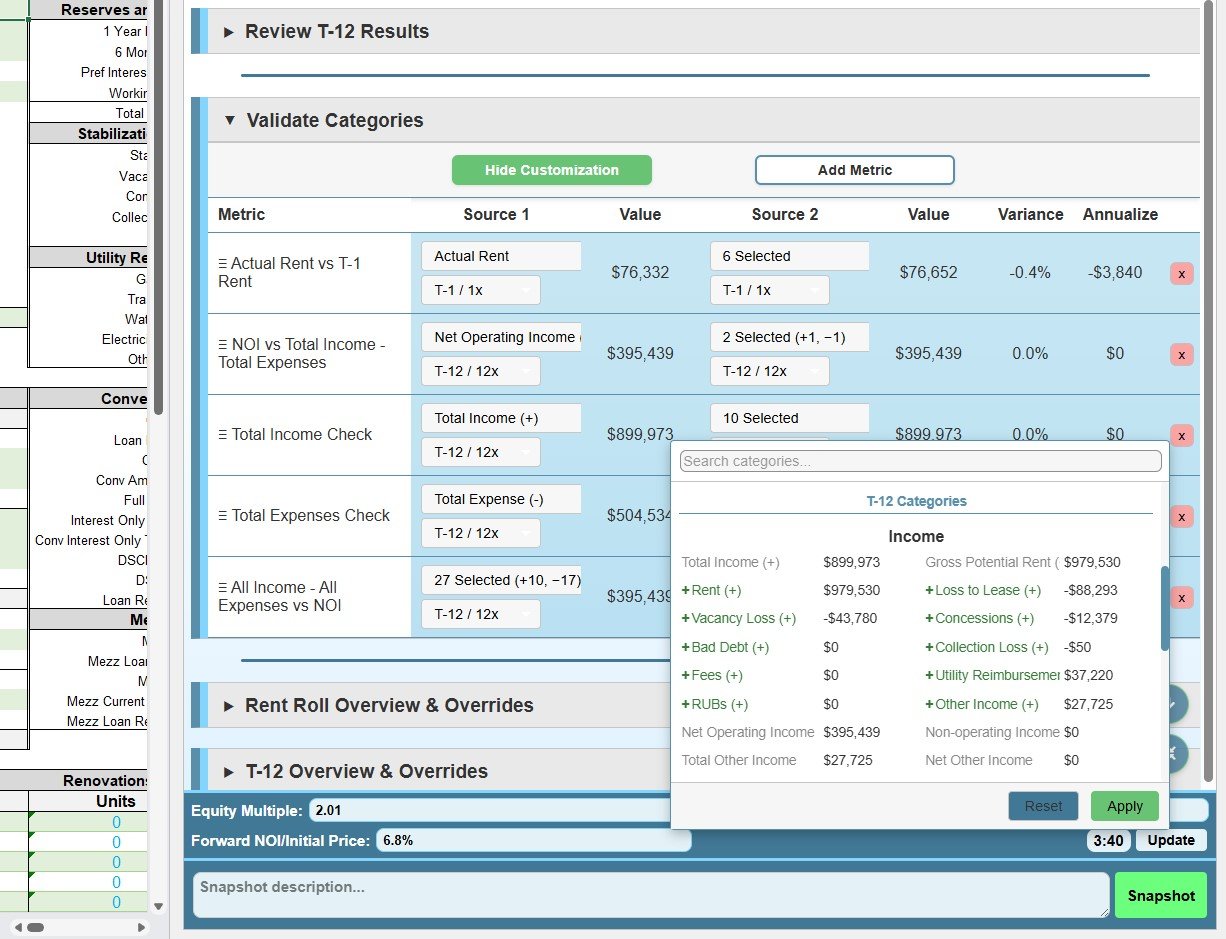
An image of the data validation section in setup mode
Ensuring the data you gathered from your T-12 and Rent Roll is accurate is vital for responsible underwriting. Unfortunately, it can be easy to miss small discrepancies, and tracking down issues can be time-consuming.
With Categories Validation, you can easily check for discrepancies and jumpstart the process of finding the source.
This feature is highly customizable, letting you setup your own checks across any rent roll and T-12 categories. You can freely select a single category, or multiple to be included to check things such as:
Rent Roll total rent against T-1 total income
NOI against Total Income minus Total Expenses
Total Income against all income line items
Total Expenses against all expense line items
And more
You can also go further and check changing deviations across the actual T-1, T-3, T-6, and T-12 values. Whatever rules you need, we give you the tools to set them up for easy review.
Summary: Document Handling
The Problem
Even before you can underwrite a property, it can sometimes take hours of data entry for the rent roll and T-12.
You have to get the documents into Excel, structure both in a way your model can use, categorize the T-12, and move the cleaned data to where it belongs. The time needed scale exponentially, depending on if the data is in Excel files or PDF, and if it’s well-structured or not.
What you need
The data from a property’s rent roll and T-12 to be properly placed into your model.
Our Solution
Make the entire process a 1-2 minute task.
Our process paves over the work needed for importation and it entirely removes the need to clean up the data for most documents.
Your only job is to ensure the recalled categories are correct, any new items are categorized, and a quick check to verify Pro Formance CRE extracted the data correctly.